Sunday, November 7, 2010

Technical Difficulties and a Web App

Well...the Linerider track has been finished! Where is it you say?? On my iPod...the sharing feature on Linerider doesn't seem to be working for now..and VNC isn't showing the Linerider app...

But in good news, if you are on a mobile device check out our web app by Tarada for iPod and iPad. Check it out if you're tired of typing in the URL. Click here(on your iPad/iPhone/iPod Touch).

Monday, November 1, 2010

Linerider Track Coming Soon?


Hey everyone, I've been working on a Linerider track entitled "A Straight Line Odyssey". It uses only straight lines, and was designed entirely on the iPod Touch. I plan on putting it on Youtube soon! In other news, check out the gSword supported Tarada Linux, from our partner PC Scripts. Click here to learn more!

Monday, October 11, 2010

Hola Windows Phone 7

Windows Phone 7 was launched today, and so far, it looks very snappy. There are also many well polished apps, including Netflix, eBay, Fruit Ninja and others. This Gizmodo guide sums the apps up well (app videos here!). Where are the Verizon phones?

Sunday, October 10, 2010

App Review: Tilt to Live HD

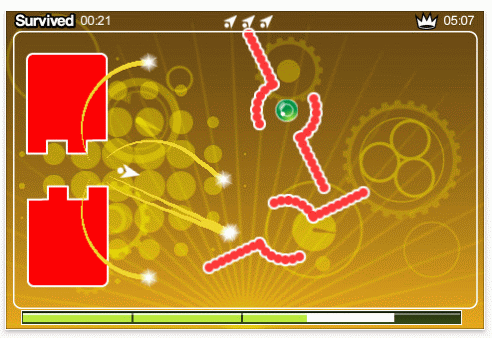
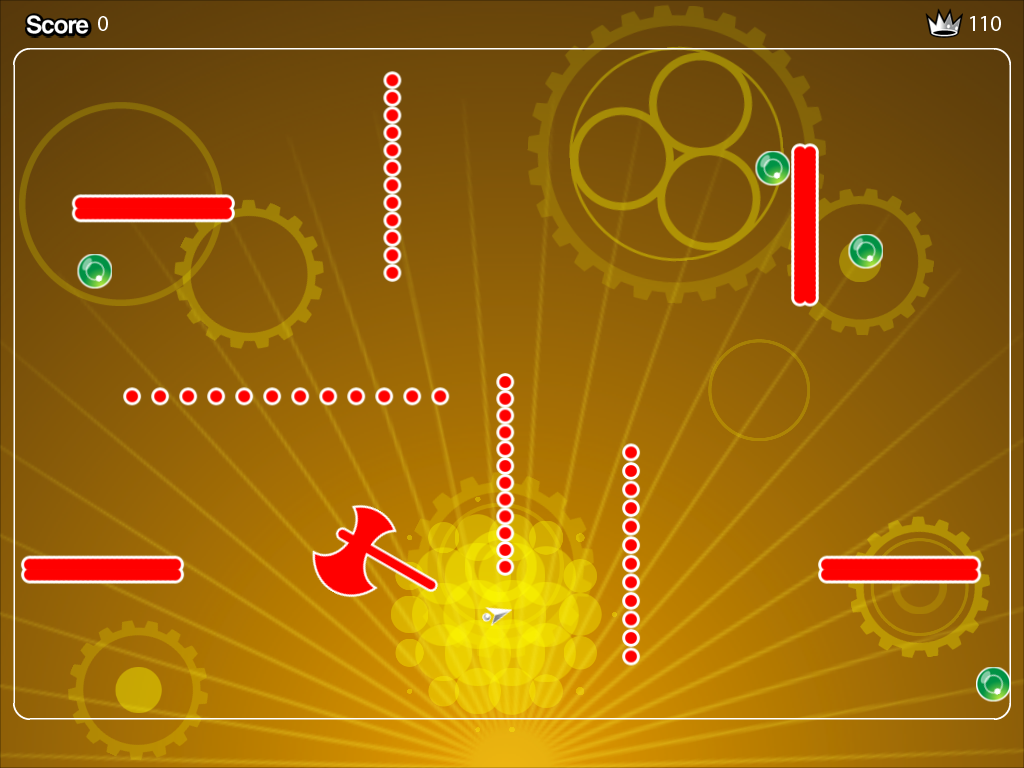
Tilt to Live HD (TTLHD), an adaptation of Tilt to Live for iPad was released about two days ago. After spending much time with it, it has earned my stamp of approval.  TTLHD has all the features of the iPhone version, updated graphics and an "evolved" version of the gauntlet. The best thing about it perhaps, is that it is free to try!  For those of you that are new to TTL, let me explain the various modes.

Classic
Kill and dodge red dots and try to get combo multipliers. Starts out easy and gets pretty hard

Code Red
"Classic Mode on crack.  Prepare to die!" -One Man Left Studios

Gauntlet (iPhone)The battle field constantly moves. You collect orbs to keep your health bar in the green, and must avoid red dot formations. You have 3 lives.

Gauntlet Evolved
Now you collect orbs for points and the field does not move. Just dodge dots and collect points. Personally, I like the iPhone version better。

Frostbite
Pre-frozen dots fall from the top of the screen, while a steamy spring is at the bottom. You must prevent the dots from reaching the bottom and being reanimated. After killing a certain number of dots, you obtain a Burnicade. 


Tilt to Live HD has great graphics, and is very sensitive. There are two problems. The first is the nature and weight of the iPad, which makes it kind of heavy and hard to play for long periods of time. The second is that the dots sometimes go behind the powerups, resulting in a cheap death. These are minor shortcomings, and overall TTLHD is a great game that I recommend you buy.

TTLHD (Free to Try, $3.99 Full Version)

Wednesday, September 22, 2010

IE9. Faster. Better? Beauty of the Web?


I recently tried out the IE9 Beta and I have to say...it is definitely faster. However, I don't like the interface (I can have 15 tabs open at once) or the pinning to the task bar. It seems like people will get confused, and wonder "Why can't I just use Favorites?". It's a nice improvement and its speed is now up to par with other browsers. However, I still prefer Opera, only if for the UI.

Friday, September 10, 2010

Houston...We're Mobile


Hey everyone! Instead of clicking on a link to our mobile site, the blog now detects whether you're on a mobile device. If you are, it'll redirect you to our mobile site! However right now the MoFuse platform takes forever to load, so I'm searching for a new mobile platform...I might switch over to WordPress...
I'd like to thank our partner PC Scripts for designing this for us!

Thursday, September 9, 2010

Wanted: New Posts

OK. You guys are probably wondering where I went. School has started again, so I will be posting less often. I will probably only post on the weekends.

Saturday, September 4, 2010

Bad Camera! Bad Apple!


The iPod Touch camera can shoot video at 1280x720 but stills at only 960x720. So basically, it takes 0.92 mega pixel pictures! The original iPhone had 2 MP, so why such a low mega pixel rate on the iPod? It may be because Apple doesn't want to make it  exactly like the iPhone, so people will actually buy it...
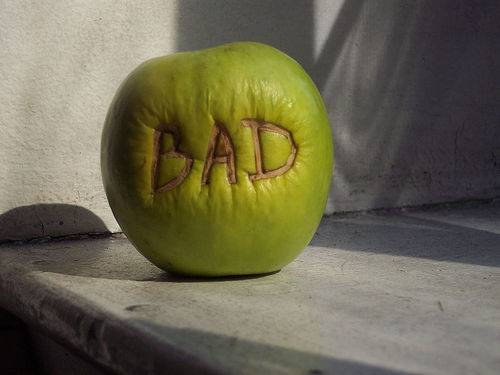
One bad Apple...

In other news, Apps Weekly will be starting again soon, now featuring Reviews and News

Wednesday, September 1, 2010

Opinion: The New Nano + iPod Touch 16GB MIA + iPod Classic on Life Support

The New Nano
So, the new Nano is basically a Shuffle with a touch screen. However, we lost the video playback and camera for that feature. It can also double as a pedometer. Apple is taking a risk with the new design, but if it flops, they can always do what they did with the Shuffle, and mix it with the old design.
iPod Touch 16GB, missing in action
Apple should also bring back the 16GB iPod Touch. It was a good size, not to small, so people couldn't have a lot of things, but not to big either. Apple could have done something like this
8GB-Music, Some Apps
16GB- Music, Some Videos, Apps
32GB- Music, Videos, Some Movies, Apps
64GB- Music, Videos, Movies, Apps
For the record, I have a 16GB iTouch.

 iPod Classic
The iPod Classic didn't get updated, but is still on sale. I guess you can't really update something once its "classic" 

I'm Being Lazy

Check out our Partner Blog PC Scripts, for all the latest info on the Apple music event!

Tuesday, August 31, 2010

Not Much News...Waiting

Well...we're waiting for the Sept. 1 Apple event!
I'd like to remind you that I won't be breaking the news, I will be giving my opinion on the event/new hardware.
In the meantime, check out this comic!
Over management...a common problem

Friday, August 27, 2010

Opinion: The Sept. 1 Apple Event

The picture on the invitation sent to the press 

As before any Apple keynote/event, a bunch of rumors have been circulating around the Internet. Here is my take on the rumors.
A fourth generation iPod Touch
Of course.
With the A4 processor
Seeing as how the iPod Touch has always mirrored the iPhone, it could be a A4 processor, or even more poweful, if Apple is trying to position this as a gaming device. 95% chance.
With Retina Display
A Retina Display will need the A4 processor, so it depends on the processor.
With Facetime/Camera
I'd give it a 95% chance 
Facetime through Game Center
Hmm...if this would be probable, although it probably won't happen because of... (10% chance)
Facetime through email
Seeing as iPod Touches don't have phone numbers, it'll probably use your iTunes account (95% chance)
A smaller iPad/second gen iPad
Although a smaller/second gen iPad will probably happen, I don't think it would be introduced at this event, since, it seems to focus on music. Those iPad(s) would probably be introduced at a separate iPad keynote.
40% chance.
A redesigned Nano with a touchscreen
Personally, I think the Nano has suited Apple pretty well up to this point. I'm guessing the only changes to the Nano will be overall improvements and more storage...and perhaps... 50% chance
A Nano with Facetime
No one seems to have touched on this topic yet, but the Nano does already have a camera.... 30% chance
iTunes music in the cloud
Appparently Apple couldn't get all the major labels to agree, so I'd give it a 15% chance
iTunes video in the cloud
Could be more likely than music, but still unlikely. 40% chance
iTunes with recommendations from your friends
This seems it would be easy to implement. 80% chance.
Apple TV/iTV refresh with iOSThis would make sense, and would put Apple in the console market, with the App Store. You could use your iPhone 4 as a controller, complete with an accelerometer and gyroscope. 90% chance. 
TV episodes can be rented for $0.99This could happen, and one 40 minute TV show would be cheaper than a song! It would seem like a good deal!

Did I miss anything? Leave it in the comments!
Of course, all we can do now is wait until Sept.1, or hope that some guy leaves a prototype in a bar :) !

Thursday, August 26, 2010

IE9 Gets A New Look?

As you probably all know already Microsoft Russia leaked a screenshot of IE9. My thoughts on this are: It looks nice, and the larger back button seems to take cues from Firefox. However, if you have more than 3 or 4 tabs open, it seems like it could get pretty crowded in the browser. If you ask me about IE9 as a browser, than I think it will at least catch up to the other browsers (Windows Vista --> Windows 7).

Wednesday, August 25, 2010

App Review: Nook for iPad


I recently decided to skip a trip to the bookstore, and instead, buy a book through the Nook app on iPad. After finishing the book, I think that in the future, I'll stick with bookstores or try another app.

Upon opening the Nook app, you are greeted with a page showing the covers of the books that you already own. It works, but doesn't have the graphical richness of the iBooks app.
A basic book list
Purchasing the book is where the problems start to begin. When you press the "Shop" button, the app exits, and opens a Safari page, where you are directed to the Nook section of bn.com. I had a gift card that I wished to use to buy the book. However, to use the giftcard, you had to make an account, go to your account settings, and then add the giftcard, rather than just adding the giftcard at checkout. Once I had added the giftcard (which covered the cost of the book), I went to purchase the item, and found that it needed a credit card number, even though I had a gift card! I entered the credit card number, and my purchase was complete(the cost was charged to the gift card).
Reading the book was not as "fancy" as reading in iBooks. There was no page flipping animation, just a scrolling animation.
No page flip animation for Nook


Personally, that suited me just fine, but the app didn't have the polished feel of iBooks. Making notes and highlighting phrases also didn't feel as polished as iBooks. However, I also have Nook for PC, and the bookmark sync works exceptionally well.

Pros:
-Carry your nook eBooks with you
-Offers a greater selection of Books than iBooks
-Great bookmark sync technology

Cons:
-No integrated store
-No page flipping animation
-Gift card support not implemented the way I'd like it to be

Unless you own a Nook and want to read your books on your iPad, I would recommend waiting for a few updates to the Nook app.

Note: I do not own the Nook app, Nook logo, or the covers of the books in the Nook bookshelf.

Sunday, August 22, 2010

Multitasking on Your iPod Touch 2G

I am working on a video tutorial to show you how to
Enable multitasking/fast app switching:
-2nd Gen iTouch
-iPhone 3G
Enable backgrounding on:
-2nd Gen iTouch
-iPhone 3G
-3rd Gen iTouch
-iPhone 3GS
-iPhone 4

Monday, July 19, 2010

New Look, New Name

Hey everyone!
Just to let you know that this blog is now the home of the gSword Alliance. We will continue to feature tech news, but also gSword related news!

gSword Creative
--No new news. In a partnership with pcscripts.webs.com. Check it out!--

gSword Console
--Working on a Blackjack game for Windows console. 75% done! Stay tuned for more info!--

Go to gsword.webs.com for more info about gSword.

Monday, March 22, 2010

Opera 10.5 No Longer Fastest Browser

Yes, Opera 10.51 has been released, and is now faster than Google Chrome 5.0xxx. After 10.5 initially being rushed for the browser ballot screen in Europe, some UI fixes and security hole fixes have been added to 10.51. According to Opera, 10.51 is 27% faster in the Peacemaker standards. I've been using it, and so far it seems pretty solid, with a minor speed improvement.

Google China has been shutdown!

After infringing on a lot of laws in China, going to google.cn now redirects you to Google Hong Kong! The Google Hong Kong site is uncensored, and experts say that doing this is a big risk, as China has the largest numbers of internet users

Thursday, March 18, 2010

A Browser Comparison

Here's a browser comparison, courtesy of College Humor


Hope you enjoyed that. Apps Weekly may come a bit early on the weekend!

New Look

Here at the blog, I'll be testing out a variety of different looks and templates. Feel free to comment and give me feedback!

Wednesday, March 17, 2010

Apps (Not Really) Weekly

App Standings 
(for place movement of apps, I will be using statistics from exactly 6 days prior to the post. This information will be obtained from Position App)
Paid Apps
1. Where's Waldo?TM The Fantastic Journey-0.99(moved up from #5)
2. Volt- 3D Lightning Unleashed From Your Fingertips-0.99(moved up from #57)
3. Doodle Jump- BE WARNED INSANELY ADDICTIVE-0.99(moved down from #2)
4. Cell Phone Tracker Pro-0.99(new app, released Friday)
5. ALL-IN-1-GAMEBOX-0.99 (moved down from #1)
Free Apps
1. Find the Differences(moved up from #127)
2. Stick Sports: Summer Games Lite(moved up from #214)
3. A Snake(new app, released on Monday)
4. Zombie Farm(moved up from #11)
5. Glow Coloring(new app, released Friday)

App News
Eliminate Co-Op has been released. A review is below
-No other news for now-

App Reviews
Eliminate Co-Op- Free

Eliminate Co-op is exactly what its name means. You team up  with someone and kill waves of rogue battle droids. The battle droids drop loot which are basically items. Overall, Eliminate Co-Op is just Eliminate Pro, with a Co-Op feature.

Rating: 4.5/5

Riddim Ribbon-  2.99

The objective of Riddim Ribbon is to steer a sphere down a "lane/path" of music.The controls of Riddim Ribbon use the accelerometer and are nice and sensitive. You collect pebbles along the way, which allow you to pass checkpoints. If you veer off path, the music becomes distorted, and you may even smash into an obstacle. However, one put off is that the game only comes with 3 songs. More are available for download, but right now, all of the downloadable songs must be paid for.

Rating: 3.5/5

MORE APP REVIEWS COMING!!

Monday, March 15, 2010

Is this blog dead?

Ok, so this blog is dead. But hey, if I have more time in the future, I just might start posting again! Until that time...See ya!